
Push notifications
A new message, a mention or an assigned task arrives instantly. A tap opens the right chat, not a general list. You choose which categories to push.
Mobile app
Customer chat, team chat, CRM, tasks and an AI assistant on iOS and Android. The same workspace as in the browser: reply from your phone and a colleague sees it on their laptop a second later.
What's inside
The app is synced with the web version in real time: reply to a customer on your phone and a colleague sees it instantly in the browser. Conversation history, files and deals are shared.
A WebSocket channel keeps every device in the same state. Open a deal on your phone — your laptop updates too.
Sign in with the same email/password or Google Sign-In. No separate mobile accounts.
UI, dates, number formatting — everything follows the device language.
The app is free on every plan. No paid modules inside the mobile app — you only pay for the workspace subscription itself.
Modules in the app
Four icons at the bottom, and you decide which: customer chat, Team, CRM, tasks or loyalty. Long-press to swap an app in a slot; everything else opens from the full list.
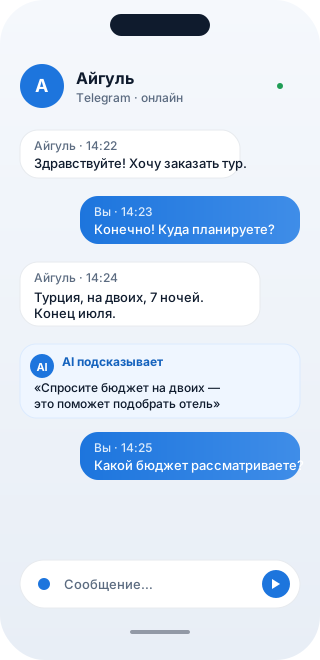
A multi-channel customer inbox and the team chat — on your phone.
Telegram, WhatsApp (including the official Business API), Instagram Direct, email and the website chat — one list with channel badges.
Outside Meta’s 24-hour window — send an approved template straight from the phone, with the customer’s name filled in.
The “AI reply” button drafts an answer from the conversation and your knowledge base; customer voice notes are transcribed.
Photos, files and voice notes; forward a customer message into Team; delivered and read ticks.
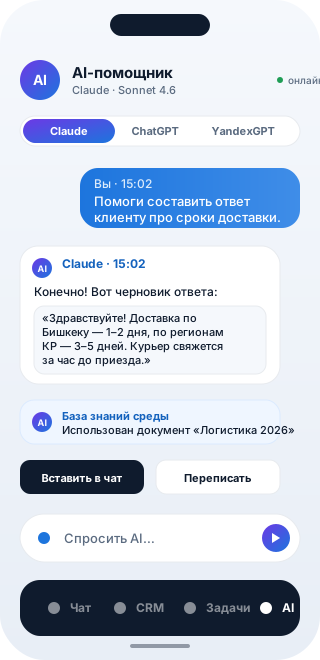
Pipeline, deals and full customer history — no laptop required.
Deal card: amount in its own currency, tags, next step and days in stage — you see where things stalled.
Long-press to move a deal between stages; the contact card holds the whole history.
“Deal from conversation” — AI reads the chat, names the deal and puts the summary into its description.
Call from the card: after hanging up the app asks how it went and writes the outcome into the customer history.
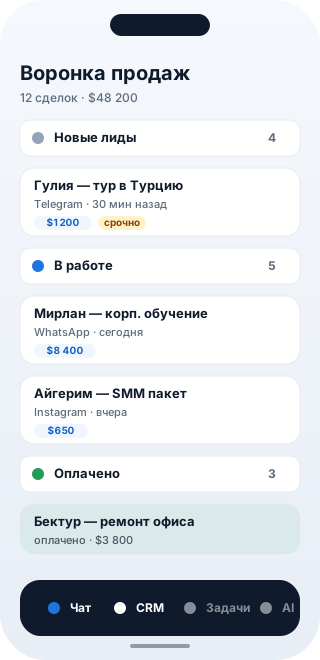
Create and close tasks on the go — with the full card, not a stub.
Four views: list, kanban, calendar and timeline — same as in the browser.
The full task card: subtasks, comments, labels, attachments, dependencies and recurrence.
“Parse with AI”: type “call Azamat tomorrow at 3pm, urgent” and get a task with a due date and priority.
AI suggests an assignee based on the team’s current load.
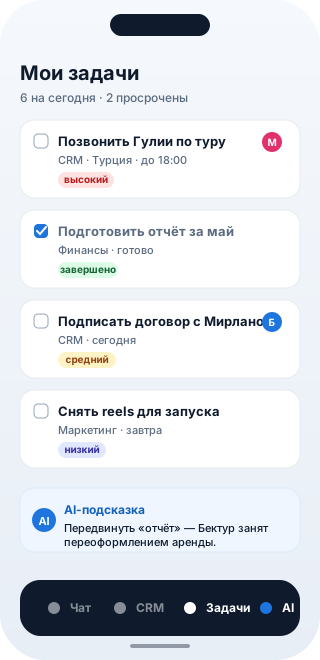
Claude or ChatGPT on your own key — no separate apps.
The workspace assistant on your own key: Claude or ChatGPT, no markup.
@teammate and @ai mentions right from the mobile composer.
Images in the conversation: a screenshot or a camera photo — AI reads it and answers.
“Retry” and “Edit question” — actions are never replayed.
What only the mobile app does
Not a shrunken website but a mobile product of its own: it uses what only a phone has.
A new message, a mention or an assigned task arrives instantly. A tap opens the right chat, not a general list. You choose which categories to push.
The app locks itself after a minute in your pocket and opens with your face, fingerprint or device passcode.
Record right in the composer — to a customer’s messenger or to a colleague in Team. Incoming voice notes transcribe to text on tap.
A screenshot from WhatsApp, a link from Safari, a photo from the gallery — pick WorkSpace and it lands in the right conversation or a task.
One query finds chats, contacts, deals, tasks and companies — the mobile counterpart of Cmd+K.
The login token lives in Keychain (iOS) and EncryptedSharedPreferences (Android) — unreachable even if the phone is lost.
Technical details
Roadmap
We are working on these. Missing something else? Tell us — user requests move things up the list.
Follows the system setting on iOS and Android.
A queue of messages and tasks that sends itself once the connection is back.
Answer a customer straight from the notification shade, without opening the app.
Unread messages and today’s tasks on the home screen; long-press the icon for quick actions.
The app is free on every plan. If you don't have a workspace yet — create Free, and the invite lands on the phone right away.
Fill out the form and we'll get back within the working day: walk you through a tailored demo, help you pick only the integrations you actually need, and migrate your data.