
The core
Google Docs and Drive — inside your workspace
All company files in one place plus a document editor: real-time co-editing, versions, folders, public links. AI reads uploaded documents — even scanned PDFs.
For companies whose price lists live in WhatsApp, contracts on employees' drives, and policies “somewhere”. Here everything is in the workspace — and your AI reads it.
What it does
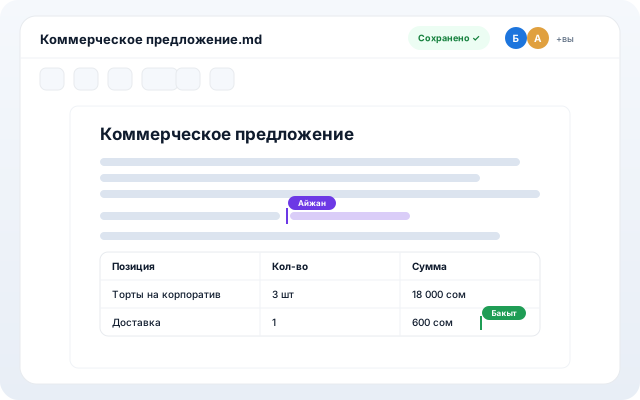
Collaborative editor
Documents are edited together in real time — you see teammates' cursors and edits. Version history and conflict protection.
Spreadsheets and office files
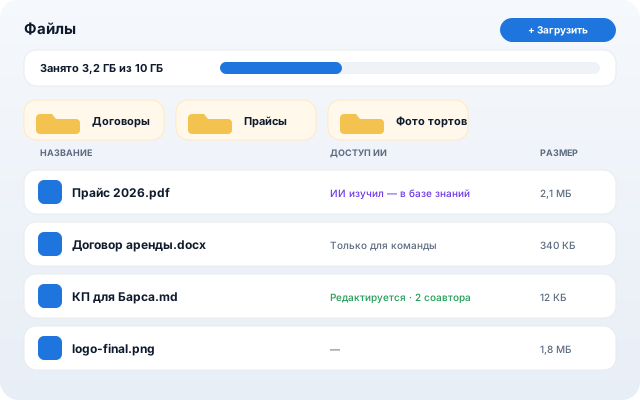
A built-in spreadsheet editor, in-app preview of docx/xlsx/PDF, editable copies of office files.
AI reads your documents
An uploaded price list or policy joins the knowledge base: the AI seller and assistant answer from it. Scanned PDFs are recognized (OCR).
Folders, search, trash
Nested folders, full-text search inside documents, sorting, a trash bin with 30-day restore.
Public links
Open a document by link without signing in — for clients and contractors. Send a file to a customer chat in a couple of clicks.
How to start
- 1
Upload company documents: price lists, policies, contracts — by drag and drop.
- 2
Mark what AI may use in customer replies and what is team-only.
- 3
Create documents right in the system and edit them together.
The rest of the core